RTSP server
An RTSP Server target makes a SkyView stream available to external players.
It requires the Recast license option and Recast or Play and Recast mode.
Start the stream, then use Copy RTSP URL on its output to connect a player.
The default listener is 0.0.0.0:8554; a typical URL is
rtsp://skyview-host:8554/streams/camera-1.
This publishes an output from SkyView. To receive a camera's RTSP stream as an input instead, see RTSP playback.
Architecture
SkyView manages stream configuration, licensing, and publication lifecycle.
A separate skyview-rtsp-server process runs the RTSP server and
serves all published target paths through one listener. SkyView starts this
helper when the first RTSP target starts and stops it when the last publication
is removed. Configuration and credentials travel through private control pipes.
SkyView stream
  |
  +-- WebRTC playback (Play and Recast mode)
  +-- Other recast targets (UDP, SRT, etc.)
  +-- RTSP Server target
        |
        +-- skyview-rtsp-server: shared listener, unique target path
              +-- External RTSP client A
              +-- External RTSP client B
The media path depends on the selected input:
| Input | How the RTSP helper receives media | Client behavior |
|---|---|---|
| Live MPEG-TS over UDP, SRT, UDS, or PCAP replay | The existing pipeline forwards compressed transport data over a local UDP connection. | Clients share the live publication and join its current position. PCAP timing and looping remain controlled by the source replay. |
| RTSP input | The helper opens an additional upstream RTSP connection per published target, using the source's credentials, TCP preference, and latency. | Clients of that target share its upstream connection. |
| File input | The helper opens the configured file separately for each client. | Each client has its own reader, clock, playback position, and EOF. |
| Flywheel output | The selected processor's MPEG-TS output feeds the helper over local UDP. | Clients receive the processed live feed. See Flywheel for processor requirements. |
RTSP delivery uses compressed media without a separate video transcode. Local WebRTC playback and the other recast branches operate independently. A client disconnect does not stop the stream. Stopping, replacing, or deleting the stream, losing the Recast capability, or shutting down SkyView removes its publications.
Configure the server
Open Settings → RTSP Server and save the listener and resource settings. These settings apply to every RTSP target on this SkyView server.
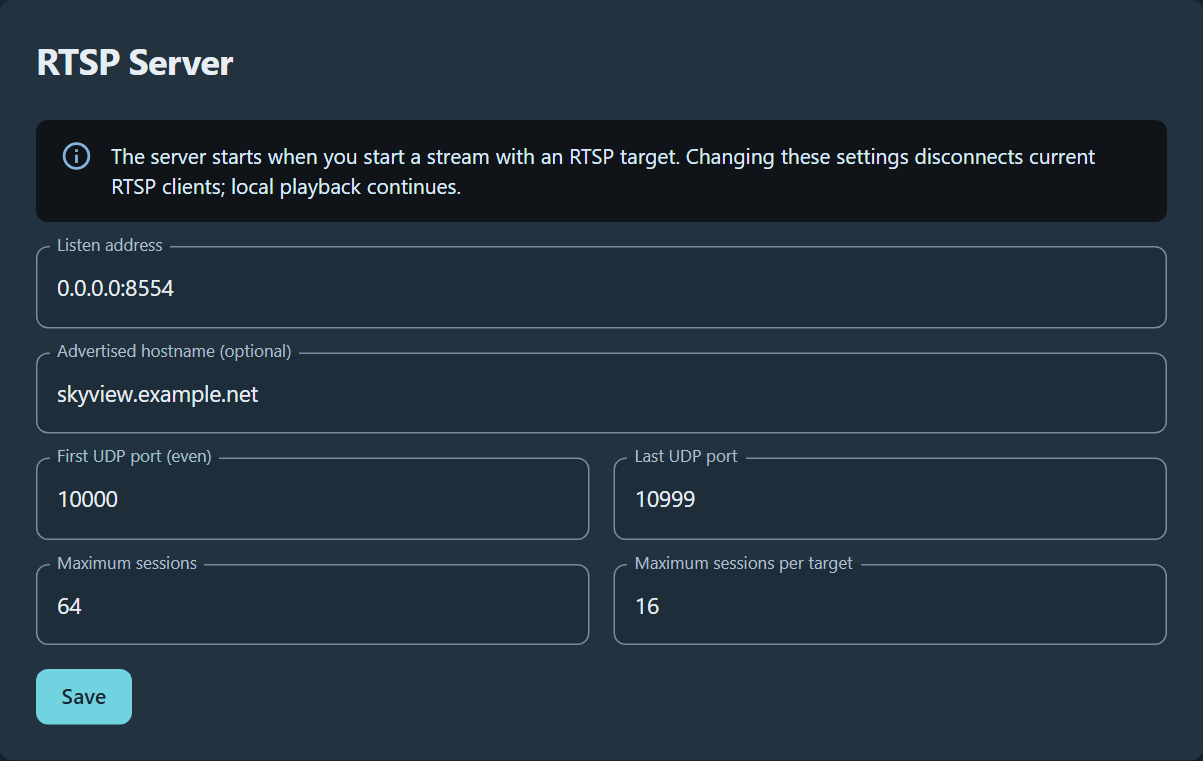
RTSP Server settings using the default listener and resource limits, with
skyview.example.net as the advertised hostname.
| Setting | Default | Configuration |
|---|---|---|
| Listen address | 0.0.0.0:8554 |
IP address and TCP port. Use 0.0.0.0 to listen on all IPv4 interfaces or a specific local IP to restrict the listener. A hostname is not accepted here. |
| Advertised hostname (optional) | Empty | Hostname or IP used in playback URLs. Enter only the host, without rtsp://, a port, or a path. This changes the displayed URL; it does not change the bind address or configure network forwarding. |
| First UDP port (even) | 10000 |
First port in the RTP/RTCP allocation range; must be even and at least 1024. |
| Last UDP port | 10999 |
End of the allocation range; must exceed the first port and be at most 65535. The range must contain at least one port pair. |
| Maximum sessions | 64 |
Total session limit, from 1 to 1024. |
| Maximum sessions per target | 16 |
Per-target limit, from 1 up to the total session limit. |
Changing these settings restarts the RTSP service and disconnects existing RTSP clients. The configured publications are restored; clients must reconnect. Local playback continues.
For example, with listen address 0.0.0.0:8554, advertised hostname
skyview.example.net, and target path /mission/front, the playback URL is
rtsp://skyview.example.net:8554/mission/front. With a wildcard listener and no
advertised host, the UI uses the browser's hostname for copied URLs.
Configure a target
- Open or create a video stream and select Recast or Play and Recast.
- Configure the source, then open Outputs and click Add.
- Choose RTSP Server as the target type. If the Input selector is available, choose Original source or Flywheel as appropriate.
- Set Stream path, or leave it blank for a stable automatic path.
For a readable URL, use a unique path such as
/mission/front. - Choose Delivery format and, if required, enter a username and password.
- Save the target and stream, then start the stream if it is stopped.
- Use Copy RTSP URL on the output and open it in a compatible RTSP player.
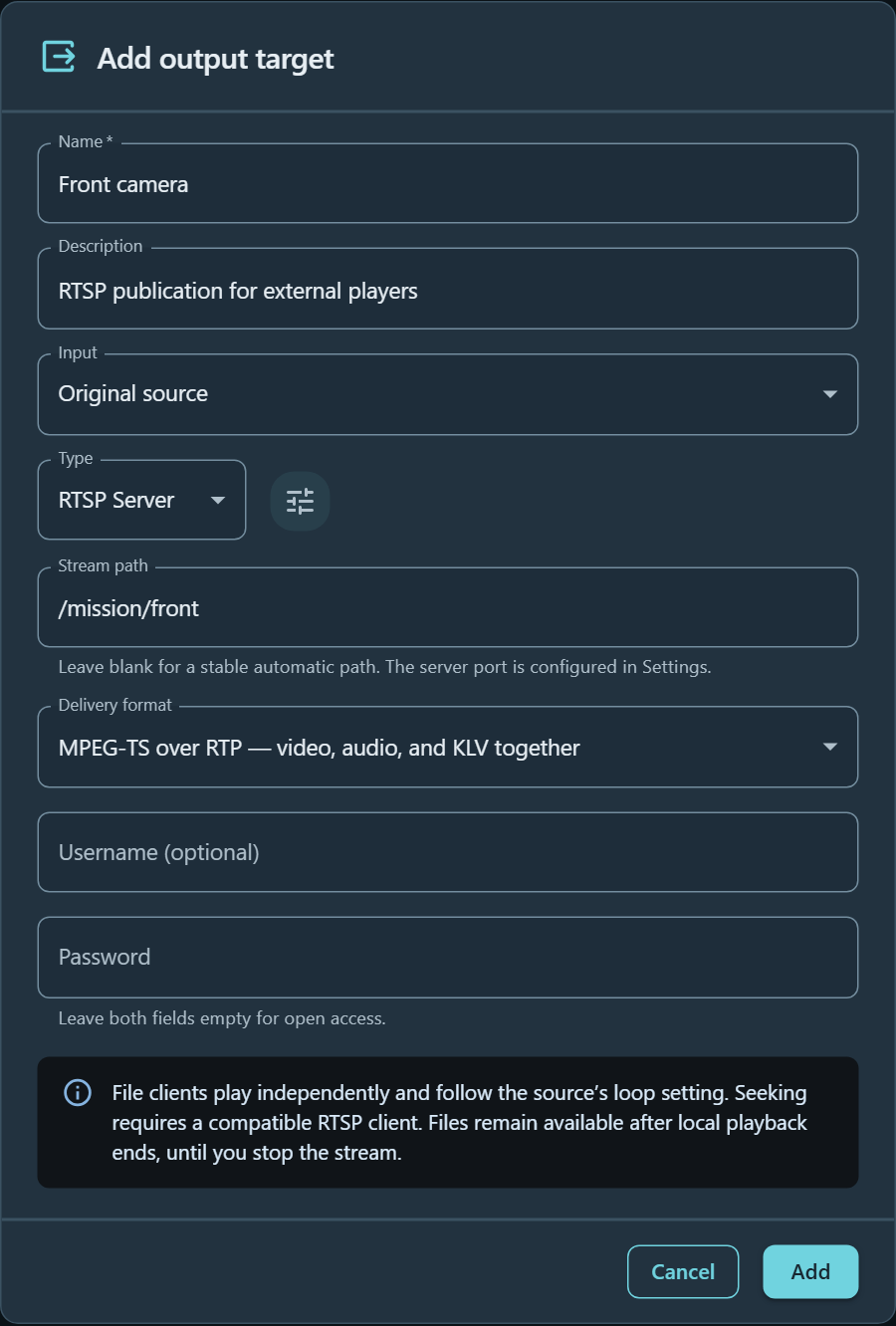
An RTSP Server target publishing the original source at /mission/front.
Both authentication fields are empty for open access.
The target publishes a path on SkyView's listener; it does not take the URL of another RTSP server as a destination. Paths may contain letters, digits, hyphens, underscores, and slashes, with a maximum normalized length of 240 characters. Each path must be unique across all streams, including disabled targets, whose paths remain reserved.
The delivery formats are:
- MPEG-TS over RTP carries video, audio, and KLV together. Live TS inputs retain their original transport packets and PIDs.
- Separate tracks exposes H.264/H.265 video, AAC audio, and any KLV as individual RTP tracks. Receiving applications must support the selected codecs and metadata format.
For STView 0.10.0, use MPEG-TS over RTP when you need the KLV detail view. That version receives separate-track KLV but its detail selector requires a MPEG-TS PID. Both formats carry the original metadata; this is a receiving-player display limitation.
Optional username/password credentials protect only this target. Enter both fields to enable authentication, or leave both empty for open access. These credentials are separate from upstream camera credentials and SkyView web login. The password is never returned by the stream API. Leave it blank while editing to preserve the saved password, or select Remove authentication to clear it. Copied URLs never contain credentials; enter them in the receiving player.
Live sources and files
Live clients join the current stream. Disconnecting a viewer does not stop SkyView playback, other recast targets, or the source pipeline. RTSP inputs use one additional upstream connection per published RTSP target, shared by its clients.
TS/STANAG, MP4, and MKV files are served independently to each client. A new client starts at the beginning and can pause, resume, and seek without moving another client's position or local WebRTC playback. RTSP clients must support seeking; seek positions can move to a preceding decodable position according to the container's seek information. The RTSP response reports the actual position. Only normal playback speed is supported.
Each file client follows the source's Loop setting. When looping is disabled, that client's playback ends at EOF. The URL remains published for new clients and replay until the stream is explicitly stopped. Local playback ending does not remove it. Use the stream's Stop control to disconnect all clients and unpublish the URL.
The media is packetized without RTSP transcoding. Files must contain supported H.264/H.265 video, AAC audio, and optional KLV; unsupported media tracks produce an error. Containers are detected from their contents. MP4/MKV local playback uses a separate paced remux helper, while existing TS local playback keeps its current pipeline. No KLV is generated for files that do not contain metadata.
Network access and output status
For native build requirements and automated test fixtures, see RTSP development and verification.
Both TCP interleaving and unicast UDP are supported. There is no multicast, RTSPS, or inbound RTSP publishing endpoint.
Allow the RTSP listener's TCP port through the host firewall. For UDP delivery, also allow the configured RTP/RTCP UDP range and ensure the client-side network permits the negotiated media ports. Container deployments must publish the listener port and, when using UDP, the UDP range. A client configured for RTSP-over-TCP carries media on the RTSP connection and avoids the separate UDP media path. Configure the advertised hostname when clients use a different address to reach SkyView.
serving · 0 clients is healthy. Output status includes the playback URL,
format, client count, media byte counter, bitrate, and sanitized errors. An
unavailable helper or unsupported source produces an explicit error.
| Symptom | Check |
|---|---|
| Connection refused or timeout | Start the stream; check the listen address, TCP port, firewall, and container port mapping. |
| URL contains an unreachable host | Set the advertised hostname to an address the receiving client can reach. |
| Client connects but receives no media | Confirm the source is producing media and the client supports the delivery format. Try TCP to check whether the UDP media path is blocked. |
| Authentication fails | Use the target's username and password in the player, rather than the SkyView web login or upstream camera credentials. |
| New clients cannot connect | Check the total and per-target session limits. |
| Helper unavailable or output error | Check that the matching RTSP helper and required media plugins are installed, then inspect the output error and server logs. |