RTSP input options
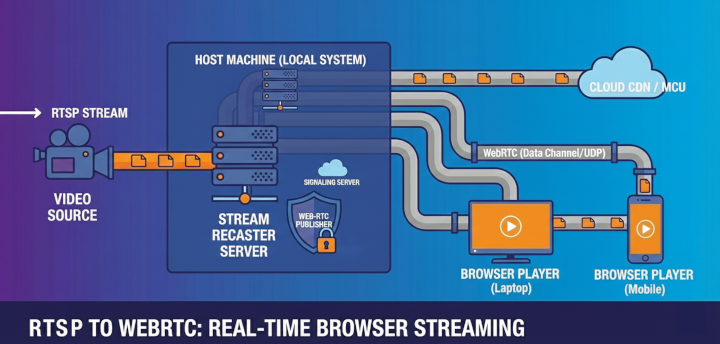
Overview
The Real Time Streaming Protocol (RTSP) is a network control protocol designed for use in entertainment and communications systems to control streaming media servers. It is widely used for delivering real-time video and audio over IP networks, and is supported by many IP cameras and streaming devices. RTSP streams can be transported over UDP or TCP, providing flexibility for different network conditions and requirements.
RTSP stream
- Open Streams in the administration interface and add a new stream or edit an existing one.
- In the General tab, set Type to RTSP. The form switches the URL prefix to
rtsp://and reveals the RTSP tab next to General and Stream. - Select the RTSP tab to configure transport-specific options before saving the stream.
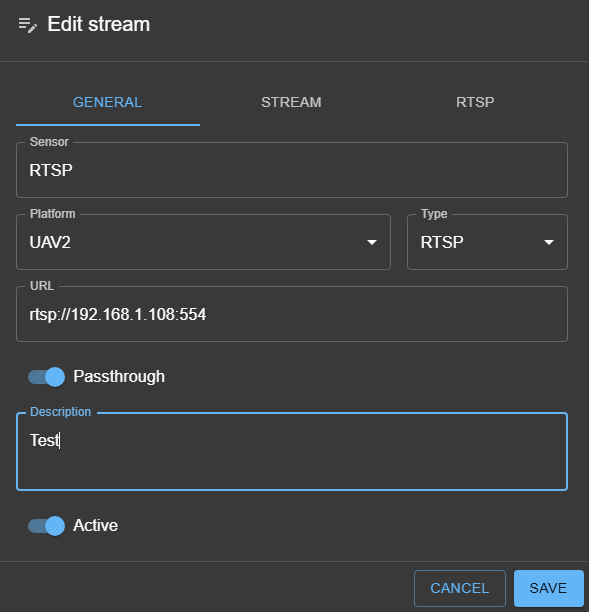
RTSP configuration

RTSP User and Password Authorization
Some RTSP sources require user authentication to access the stream. If your RTSP server or camera is protected by a username and password, you can enter these credentials in the stream configuration form.
When adding or editing an RTSP stream, look for the fields labeled Username and Password in the RTSP configuration tab. Enter the credentials required by your RTSP source. Sky View will use these values to authenticate with the RTSP server when connecting to the stream.
Note: Credentials are typically included in the RTSP URL as
rtsp://username:password@host:port/path.
If authentication fails, verify that the username and password are correct and that the RTSP server is configured to allow access for the specified user. Once all required values are valid, save the stream to persist the RTSP configuration.
Latency (ms)
Defines the receiver buffer used to compensate for network jitter and packet reordering. The default value is 2000 ms. Increasing the latency improves resilience on lossy networks at the cost of added delay, while lowering it reduces end-to-end latency when packet loss is minimal.
Force TCP Option
Some RTSP sources and network environments require streaming over TCP instead of UDP. The Force TCP option in the RTSP configuration allows you to instruct the client to request the RTSP stream using TCP transport.
RTSP-over-TCP (interleaved) also allows users to open only 554/TCP (or 8554) and avoid wide UDP ranges.
Enabling Force TCP is useful when: - The network blocks or restricts UDP traffic (e.g., firewalled or NAT environments). - You experience packet loss or instability with UDP transport. - The RTSP server or camera only supports TCP streaming.
When this option is enabled, Sky View will negotiate the RTSP connection using TCP, which can improve reliability in challenging network conditions, though it may introduce slightly higher latency compared to UDP.
Tip: If you encounter issues with video playback or connectivity, try enabling Force TCP to see if it resolves the problem.