Map Window
The Map Window provides an interactive interface for viewing and managing platforms on a map. The platform position and relevant sensor details are extracted from MISB metadata embedded in the video streams.
To display this information, press the Stream Detection button.

Map window
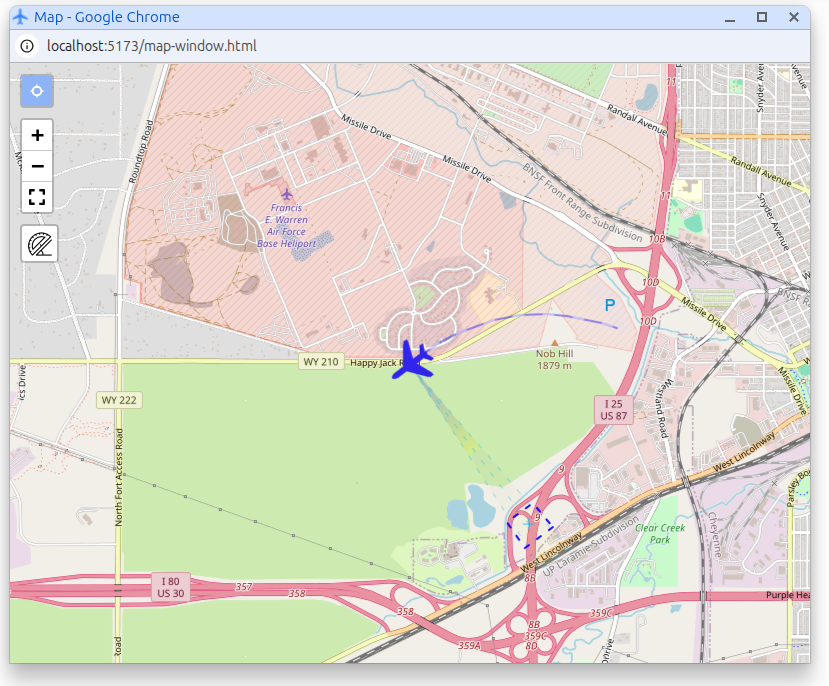
Controls
- Mode Selection: Choose between different modes for platform or map movement. This allows you to either move the map itself or interact with platforms displayed on the map.
- Zoom In/Out: Use the zoom controls to adjust the map's scale, allowing you to view a larger area or focus on specific details.
- Full Screen: Toggle full screen mode to maximize the map window for better visibility and interaction.
- Ruler (Distance Measurement): Activate the ruler tool to measure distances between points on the map. Click to set start and end points, and the measured distance will be displayed.
- Marker: Activate the interactive marker to place or drag a point on the map. The marker can be moved manually and is also updated by the Video Overlay when marker synchronization is active.
⚠️ Internet Connection Requirement
The map requires an active Internet connection to load map tiles. Without Internet access, the map may not display correctly or may be unavailable.
Alternatively, you can enable offline mode using pre-loaded maps. When offline maps are available, the application will display locally stored tiles instead of downloading them from the Internet.
More on Offline maps configuration
Marker synchronization with Video Overlay
The Map Window marker can be synchronized with the Video Overlay marker in the player.
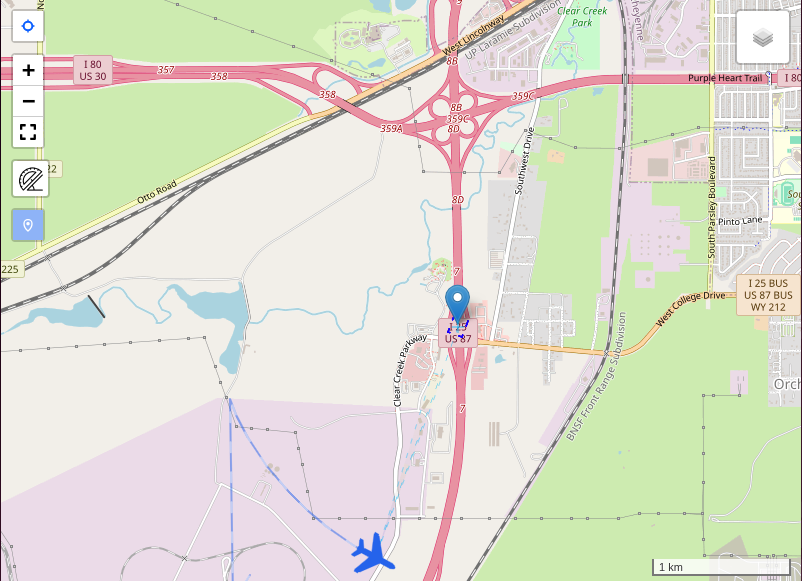
- When the Marker button is enabled in the player for the first time, the overlay marker is placed at the center of the video.
- If the Map Window is already open, that initial marker position is also pushed to the map.
- When the overlay marker is in overlay master mode, dragging the marker on the video updates the marker in the Map Window.
- When the map marker is moved by the user, the overlay switches to map master mode and the video marker updates to the same geographic position.
- Programmatic updates from the player do not trigger another map drag event, so overlay-to-map and map-to-overlay synchronization do not loop.
Marker synchronization depends on valid video georeferencing. Without the required metadata, the overlay marker may still exist in image space, but the map cannot place it at a geographic location.
Annotations
The Map Window can display shared annotation geometry together with the live platform and footprint overlays.
- Use the Annotations toggle in the player toolbar to enable or disable annotation display.
- When annotations are enabled, the Map Window draws the same active annotation set that is used by the Video Overlay.
- When annotations are disabled, the map removes all annotation graphics.
The Map Window contributes to annotation loading by reporting its current viewport back to the player. SkyView then uses that viewport, together with recent video geolocation, to load annotations near the area currently being viewed.
When user management is enabled, the map only receives server annotations the current user is allowed to access, plus any active local annotations stored in the current browser.
Annotations are displayed in the Map Window, but they are created and edited from the Annotations page rather than directly in the player map.
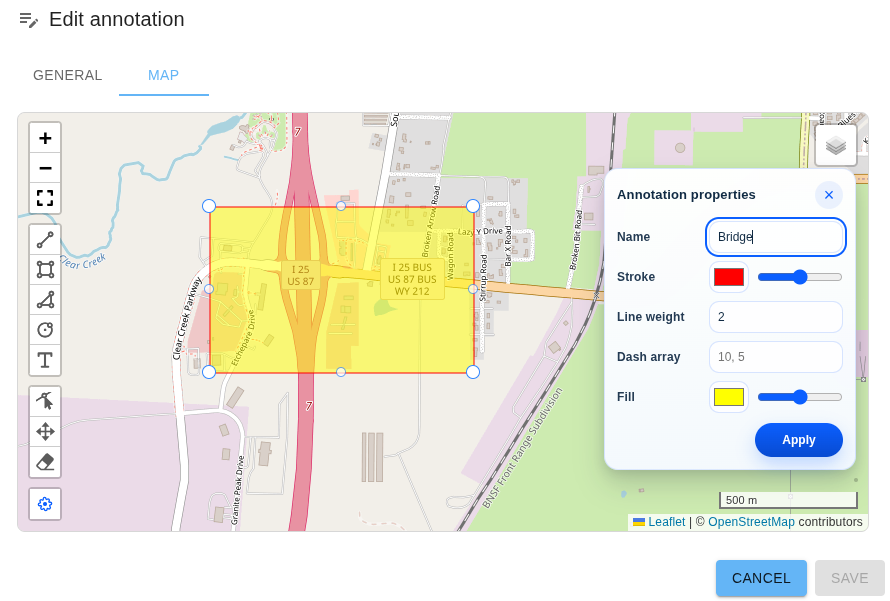
See also Annotations.
Klv Metadata overlay
The map overlay reads these tags:
- 5 (Platform Heading Angle): rotates the platform icon and is used in Field of View (FOV) cone direction.
- 13 (Sensor Latitude): updates platform position and FOV cone origin latitude.
- 14 (Sensor Longitude): updates platform position and FOV cone origin longitude.
- 16 (Sensor Horizontal Field of View): sets the FOV cone fan angle.
- 18 (Sensor Relative Azimuth Angle): combined with tag 5 to compute FOV cone direction.
- 23/24 (Frame Center Latitude/Longitude): draws the frame-center marker/line and can be used to derive FOV cone radius.
- 26-33 (Offset Corner Latitude/Longitude): builds a footprint polygon from offsets relative to tags 23/24.
- 82-89 (Corner Latitude/Longitude): builds a footprint polygon from absolute corner coordinates.