🚩 Stream errors
To view stream error rates, press the Stream Events Chart button:
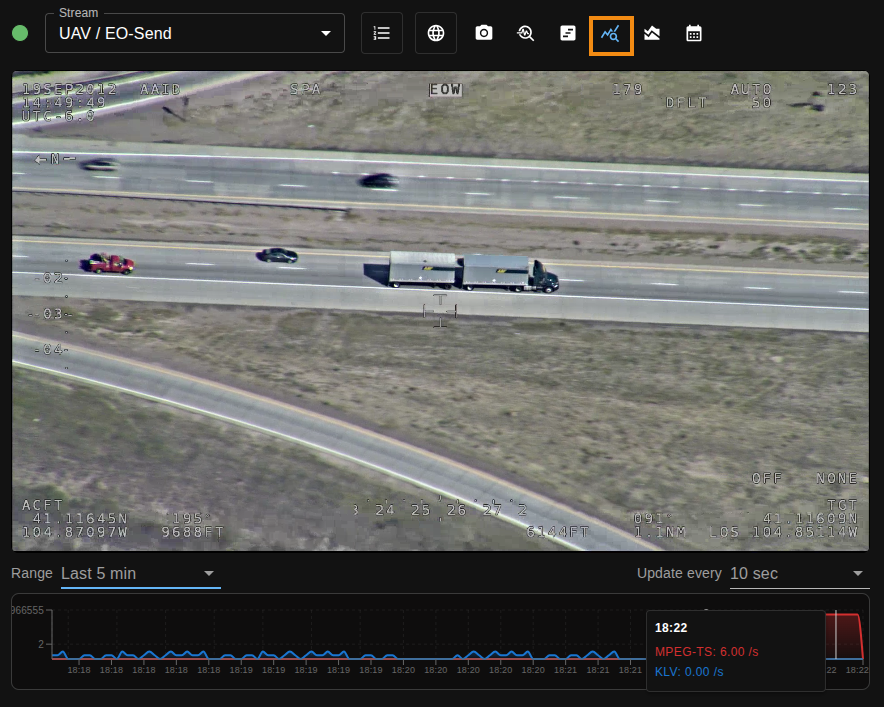
The chart shows two error-rate series for the selected stream:
- MPEG-TS error rate (
mpegTsRatePerSec) - KLV error rate (
klvRatePerSec)
These are displayed together on the same timeline so transport and metadata issues can be compared at the same timestamps.
🗜️ How MPEG-TS and KLV rates are combined
SkyView tracks MPEG-TS and KLV errors independently, then publishes them as one chart point per timestamp:
- mpegTsRatePerSec = MPEG-TS error events per second
- klvRatePerSec = KLV error events per second
Error events included in these rates:
MPEG-TS:
- MpegTsDetectionError
- ContinuityCounterError
- PCRDiscontinuityError
- DtsPtsDiscontinuityError
- TransportErrorIndicatorError
KLV:
- KLVDecodeError
- KLVDuplicationError
- KLVDiscontinuityError
Sampling happens every 2 seconds, so each point represents the recent interval.
🕓 Latest vs range (Analytics enabled)
Latest
- Uses in-memory pipeline measurements (no historical DB scan).
- Intended for near-real-time monitoring in the player.
- Returns the most recent rolling window of points.
Ranged history (5m, 15m, 1h, 3h, 6h, 12h, 24h, all)
With Analytics enabled and licensed, ranged history is served from TimescaleDB.
Data aggregation strategy:
- Up to 30 minutes:
raw - Up to 6 hours:
5s - Beyond 6 hours:
1m
🛢️ TimescaleDB storage and aggregation notes
Storage behavior (write optimization)
To reduce write volume, SkyView does not persist every zero-value sample. A zero is still written when:
- first sample for that stream/type
- transition from non-zero to zero
- periodic heartbeat while staying at zero (currently every 1 minute)
This preserves continuity while avoiding constant zero writes.
Aggregation behavior
For 5s and 1m history, SkyView performs bucket aggregation with gap fill:
- Missing buckets are returned as zero rate values.
- Bucket sample counts for those synthetic buckets are
0.
This keeps historical charts continuous while still exposing whether a bucket had real stored samples.
👉 Practical interpretation
- High
mpegTsRatePerSecwith low KLV rate usually points to transport integrity issues. - High
klvRatePerSecwith stable MPEG-TS can indicate metadata generation/remux/timestamp problems. - Spikes in both at the same time often indicate upstream stream instability (network/encoder/mux).
For detailed error event definitions and filtering, see the Stream events manual page.