UDS (Unix Domain Socket) input options
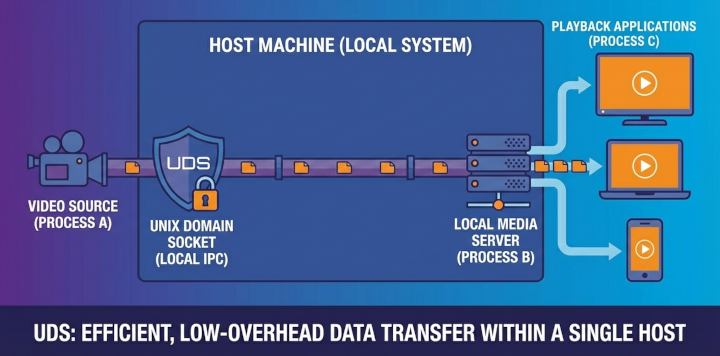
UDS input lets SkyView play a stream delivered over a Unix domain socket on the same host. Socket ownership depends on the selected mode: connection mode uses a producer-owned server socket, while datagram mode uses a SkyView-owned receiver socket.
UDS is local IPC only. The socket lives on the filesystem, so the producer and SkyView must run on the same machine.
Advantages of Unix Domain Sockets
- Low latency: UDS avoids the overhead of the network stack, making it ideal for high-speed local inter-process communication.
- No network exposure: Traffic stays within the local machine, there is no risk of data traversing the network.
- File system permissions: Socket access can be controlled using standard Unix file permissions, providing a natural security model.
- Efficient for local streams: For scenarios where producer and consumer run on the same host, UDS offers superior performance compared to TCP/IP sockets.
- Simplified configuration: No need to allocate and manage ports - the socket path serves as a simple, human-readable identifier.
Create a UDS stream
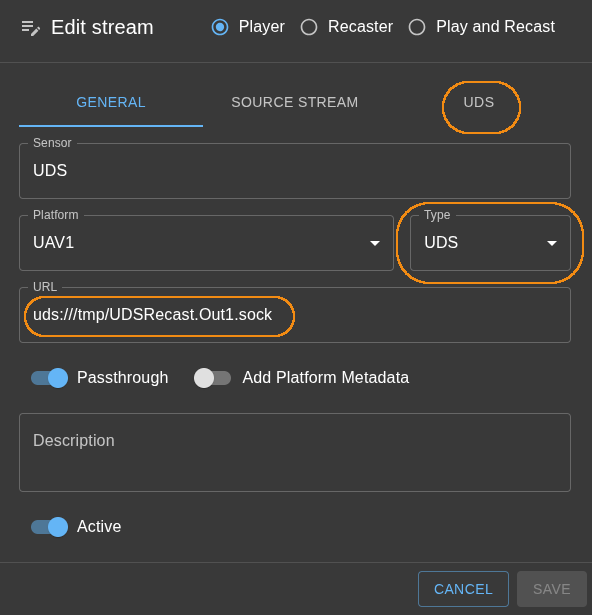
- Open Streams in the administration interface and add a new stream or edit an existing one.
- In the General tab, set Type to UDS. The URL prefix changes to
uds://and the UDS tab appears. - Enter the socket path in URL (examples below).
- Select the UDS tab and choose Socket mode (Connection or Datagram).
- Save the stream once the form validates.
Connection vs. datagram modes
Connection mode (stream)
- Default mode.
- SkyView opens a stream socket and connects to the UDS server path.
- The server must already be listening and accepting connections.
- SkyView reports connected/disconnected events and uses timeouts to detect loss of the stream.
Datagram mode
- SkyView creates and binds the receiver socket at the configured path.
- The producer connects its output to that path and sends discrete packets.
- Use this when the producer emits datagrams (packetized payloads) instead of a byte stream.
- Datagram mode is unavailable on Windows because the Windows Go runtime does not support
unixgram; use Connection mode there.
Client and server behavior
- In connection mode, the producer creates and listens on the stream socket; SkyView connects as a client. Multiple clients are possible if the producer supports them.
- In datagram mode, SkyView creates and owns the receiver socket; the producer target connects and sends datagrams to it.
- Sender and receiver must use the same socket mode. SkyView removes and recreates a stale datagram receiver path when that receiver starts.
Socket path naming convention
UDS paths must be valid absolute Unix paths. The UI enforces the same constraints for both inputs and outputs:
- Absolute path starting with
/. - Maximum length: 107 characters.
- No whitespace, NULL bytes, or shell-special characters (for example: spaces,
;,&,|,$,<,>, backticks, quotes,*,?,!, parentheses, or brackets).
Recommended naming pattern:
/tmp/<platform>.<stream>.sockfor inputs/tmp/<platform>.<stream>.<target>.sockfor outputs
The UI accepts either a plain absolute path or a URL with the uds:// scheme. All of the following are valid examples:
/tmp/skyview.camera1.sockuds:///tmp/skyview.camera1.sockuds:/tmp/skyview.camera1.sock