SRT input options
Overview
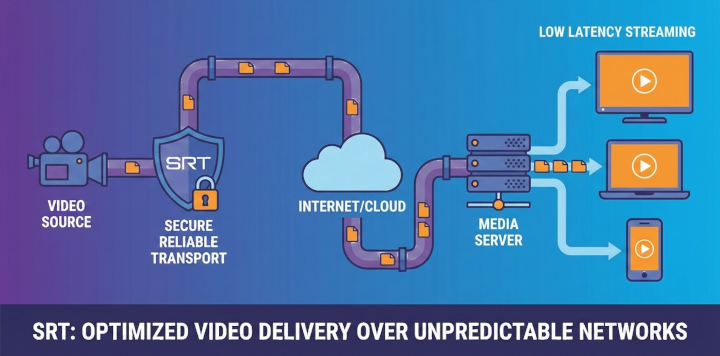
Secure Reliable Transport (SRT) support lets Sky View receive contribution-grade streams across unreliable networks. SRT combines the speed of UDP with reliability features similar to TCP and built-in security mechanisms.
Use SRT when you need low-latency delivery with protection against packet loss, jitter, and brief outages. Sky View acts as the receiver (listener) and can optionally decrypt streams that are protected with an SRT passphrase. In Recast or File Source mode, Sky View can also publish streams to SRT targets, so SRT is usable for both inputs and outputs when the license allows it. The options below control buffering, encryption, and routing metadata so you can align the stream with your network conditions and sender configuration.
SRT stream
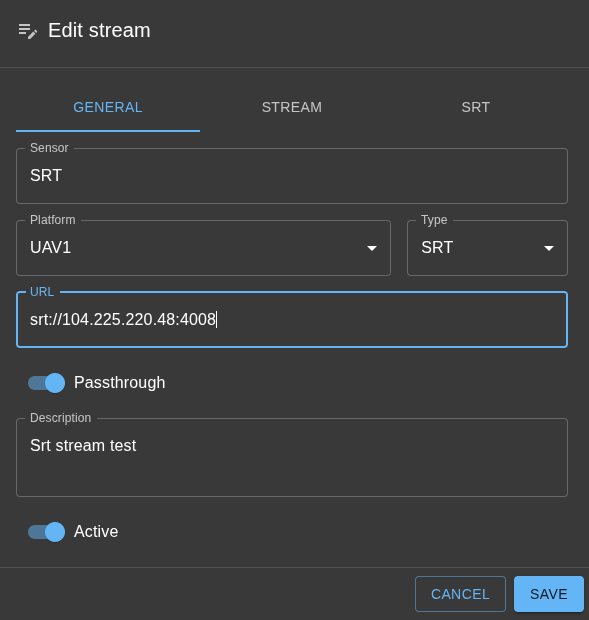
- Open Streams in the administration interface and add a new stream or edit an existing one.
- In the General tab, set Type to SRT. The form switches the URL prefix to
srt://and reveals the SRT tab next to General and Stream. - Select the SRT tab to configure transport-specific options before saving the stream.
SRT configuration
Latency (ms)
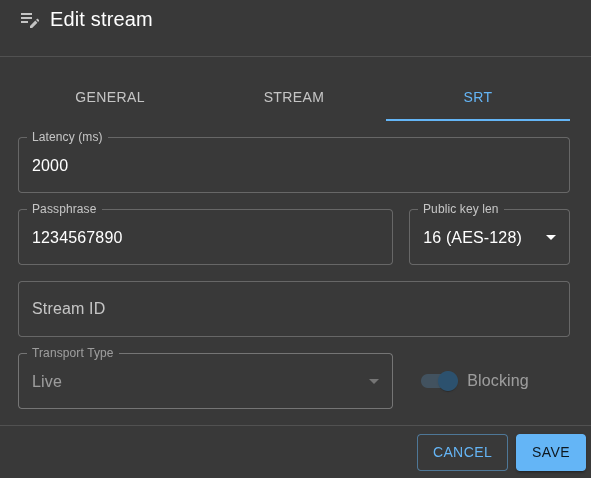
Defines the receiver buffer used for retransmissions. The default value is 2000 ms. The GUI accepts values from 80 to 8000 milliseconds. Increasing the latency improves resilience on lossy networks at the cost of added delay, while lowering it reduces end-to-end latency when packet loss is minimal.
Passphrase
Optional pre-shared key used to enable SRT encryption. Passphrases must contain 10–78 characters. Leave this field blank to disable encryption. When you supply a passphrase, the form automatically prompts you for a matching key length.
Public key length
Appears only when a passphrase is provided. Choose one of the AES key sizes supported by SRT:
- 16 – AES‑128
- 24 – AES‑192
- 32 – AES‑256
The value is required when encryption is enabled and must match the strength of the passphrase you negotiated with the sender.
Stream ID
Optional string that the remote encoder can inspect to route connections. Use this field when a listener service uses the Stream ID to select a channel; otherwise leave it blank.
Transport type
Indicates how the incoming stream is produced. Sky View currently locks this field to Live, which matches real-time contribution feeds.
Blocking
Shows whether the receiver uses blocking sockets.
Once all required values are valid, save the stream to persist the SRT configuration.