⚙️ Server configuration
Sky View reads its runtime configuration from the DB / environment variables when the server boots.

🖥 Server
| Setting | Environment variable | Default | Description |
|---|---|---|---|
| Server Name | SKY_VIEW_SERVER_NAME |
SkyView |
Server name. You can modify it (in .env), to change the name in the manifest, for example if you have multiple servers. |
| Server short Name | SKY_VIEW_SERVER_SHORT_NAME |
SkyView |
Server short name. You can modify it (in .env), to change the name in the manifest, for example if you have multiple servers. |
| Bind address | SKY_VIEW_SERVER_ADDR |
:8100 |
TCP address the HTTP server listens on. Use 0.0.0.0:8100 to accept remote connections or change the port when running behind a reverse proxy. |
| CORS | SKY_VIEW_SERVER_CORS |
true |
Enables permissive Cross-Origin Resource Sharing so the web client can call the API. Set to false when a reverse proxy already handles CORS. |
| Registration | SKY_VIEW_SERVER_REGISTRATION |
true |
Allows users to self-register. Disable when you manage accounts manually. |
| User management | SKY_VIEW_SERVER_ENABLE_USER_MANAGEMENT |
false |
Toggles the administrative user-management UI. Enable when you want the server to expose user CRUD screens. |
| Autostart streams | SKY_VIEW_SERVER_AUTOSTART_STREAMS |
true |
Master switch for automatic stream startup. When enabled, SkyView starts only streams whose Active and per-stream Auto-start switches are both enabled. When disabled, no streams start automatically. |
🛡️ Security
| Setting | Environment variable | Default | Description |
|---|---|---|---|
| JWT signing method | SKY_VIEW_JWT_SIGNING_METHOD |
HS256 |
Algorithm used to sign API tokens. |
| Access token TTL | SKY_VIEW_ACCESS_TOKEN_TTL |
30m |
Lifetime of short-lived access tokens. Accepts Go duration strings such as 30m or 1h. |
| Refresh token TTL | SKY_VIEW_REFRESH_TOKEN_TTL |
168h |
Lifetime of refresh tokens (default seven days). |
⛁ Storage
| Setting | Environment variable | Default | Description |
|---|---|---|---|
| Database path | SKY_VIEW_DB_PATH |
data/sky-view.db |
Location of the BoltDB file that stores users, streams, and other persistent state. Ensure the Sky View process can read and write to this path. |
| User activity database path | SKY_VIEW_USERS_DB_PATH |
data/skyview-users.db |
Separate BoltDB file for recording user activity metrics such as login events. |
| Stream events database path | SKY_VIEW_STREAM_EVENTS_DB_PATH |
data/skyview-stream-events.db |
BoltDB file that stores per-day online durations for each stream. |
Windows note: By default, Sky View stores data in
%AppData%\ImpleoTV\SkyViewServer\data\(for example:C:\Users\<username>\AppData\Roaming\ImpleoTV\SkyViewServer\data\), unless you override the storage paths with environment variables.
📝 Logging
| Setting | Environment variable | Default | Description |
|---|---|---|---|
| Log file path | SKY_VIEW_LOG_PATH |
data/sky-view.log |
Destination for structured logs. The server mirrors output to stdout and the file, creating the directory if needed. |
| Log max size (MB) | SKY_VIEW_LOG_MAX_SIZE_MB |
10 |
Rotates the active log file once it exceeds this many megabytes. |
| Log max backups | SKY_VIEW_LOG_MAX_BACKUPS |
5 |
Maximum number of rolled log files kept on disk. Older archives are deleted when the limit is exceeded. |
| Log max age (days) | SKY_VIEW_LOG_MAX_AGE_DAYS |
0 |
Deletes rolled log files older than this many days. Set to 0 to keep them indefinitely. |
🔐 Security Settings UI

The Security tab configures authentication and certificate settings for the server.
CA Certificate Path
Displays the location of the CA certificate file, typically used for self-signed certificates when establishing secure connections. This path shows where the server looks for the certificate authority certificate to validate SSL/TLS connections.
Access Token TTL
Controls how long access tokens remain valid after being issued. Access tokens are short-lived credentials used to authenticate API requests. The default is 30 minutes, which balances security with user convenience - users won't need to re-authenticate frequently during active sessions, but compromised tokens expire relatively quickly.
Refresh Token TTL
Determines the lifetime of refresh tokens, which are used to obtain new access tokens without requiring the user to log in again. The default is 168 hours (7 days). When a refresh token expires, users must re-authenticate with their credentials.
JWT Signing Method
Specifies the algorithm used to sign JSON Web Tokens (JWT). The default HS256 (HMAC with SHA-256) provides strong cryptographic security for most deployments.
⟳ Restarting
You can restart the server at any time by pressing the Restart Server button in the web interface. This will gracefully reload the application with the current configuration.
All connected clients will be notified before the server restarts and again when it becomes available.
⛃ Analytics DB configuration
Analytics database settings are configured in the web UI and can override the .env defaults at runtime. See Analytics DB configuration for details.
📈 System Monitor
The System Monitor dialog surfaces live CPU, load, memory, and network throughput for the host. You can enable or disable collection via the System monitor toggle and view historical ranges when Analytics is enabled. See System Monitor for a full explanation of the available data and range options.
ⓘ About
The About tab displays the current software version and allows you to check for available updates.
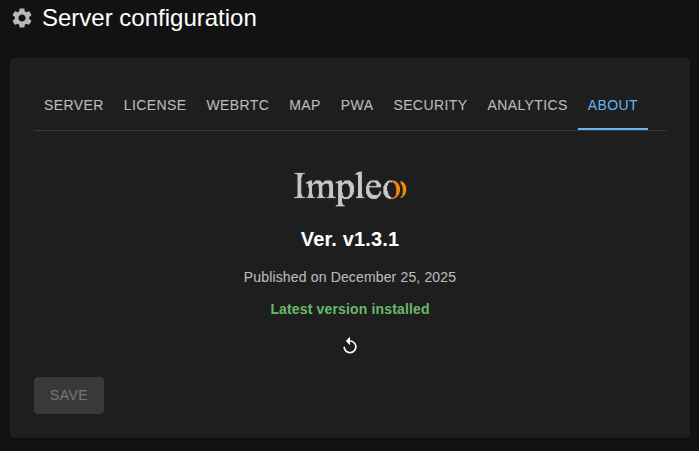
Click Check for Updates to query the latest release. If a newer version is available, the tab will display update information and provide a link to download it.