Session Info
The Session view collects runtime details about the current media and detected streams. Use it to inspect stream types, codecs, dimensions, frame rate, language, KLV PIDs, recording state, and other playback diagnostics.
Open the Session view from the View menu.
The window is split into tabs for Media, KLV, Ingest, Recording, Recasting, and Detection. Each tab focuses on a different part of the current session so the operator can quickly confirm what STView discovered and whether playback-side features are working as expected.
Media Info
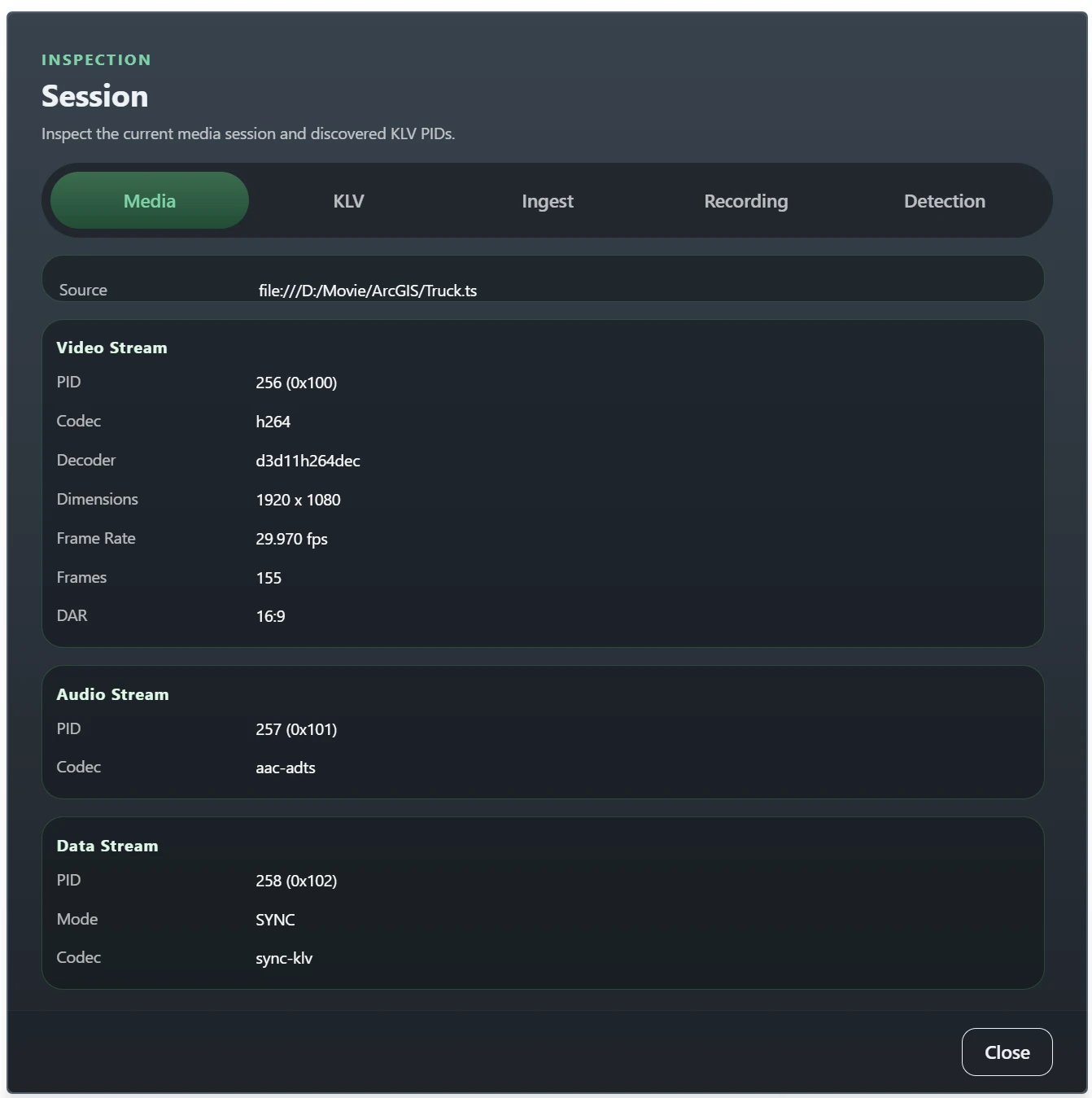
The Media tab summarizes the currently loaded source and the detected streams in that session. The top panel shows the source URI or path, whether playback is running, paused, or stopped, the media duration when known, and the number of streams STView has detected.
Below the summary, each detected stream is shown in its own card. Video streams can include PID, codec, active decoder, dimensions, frame rate, frame count, pixel aspect ratio, and display aspect ratio. Audio streams can include PID, codec, decoder, channel count, sample rate, and language. Use this tab to verify that the source was demuxed correctly and that the expected video, audio, or data streams are present.
KLV Info
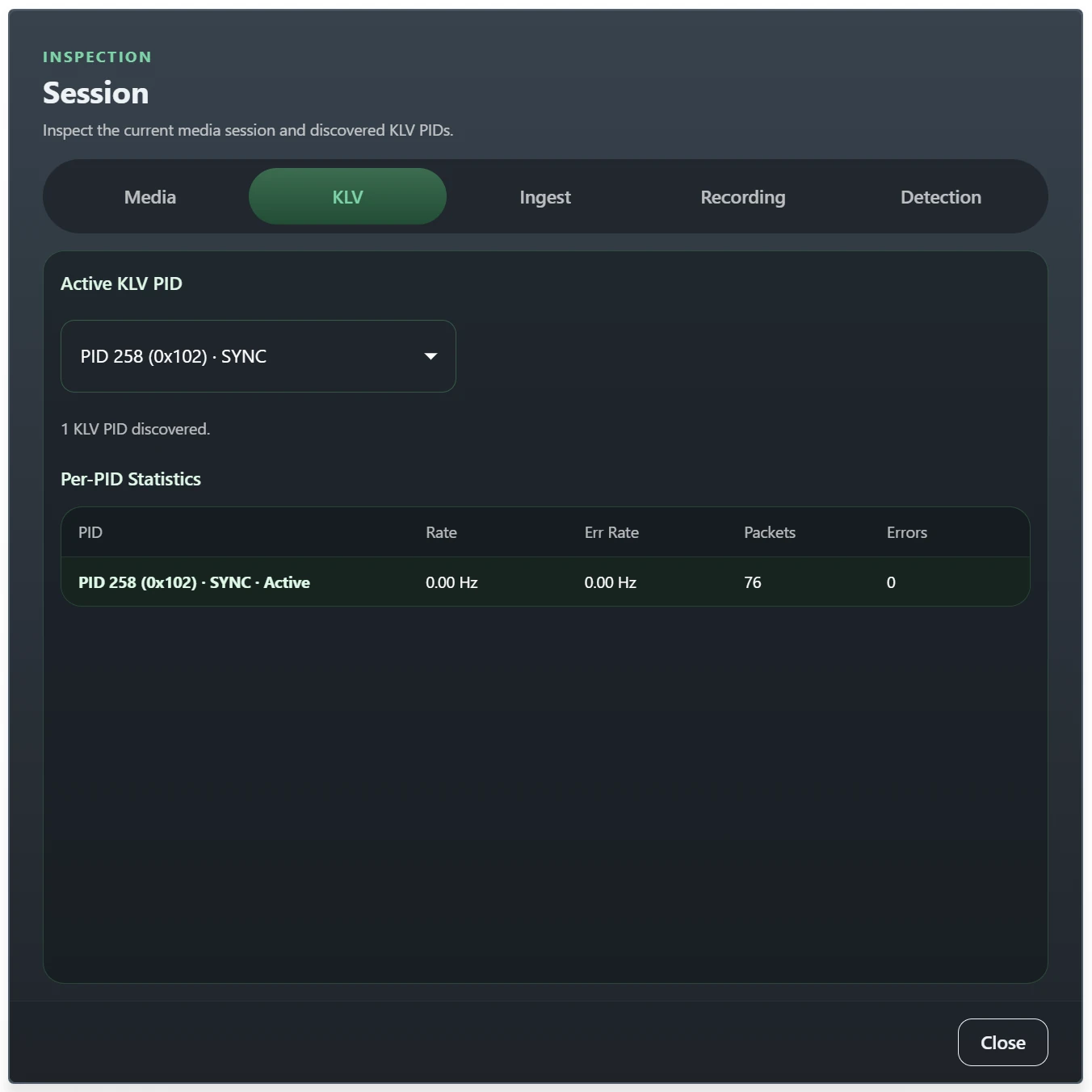
The KLV tab is used when the source contains one or more metadata streams. If multiple KLV PIDs are discovered, select the active PID from the list to focus inspection on that stream.
The statistics table shows packet rate, error rate, received packet count, and
error count for each detected KLV PID. STView also labels data streams as
SYNC or ASYNC when that mode can be identified. Use this tab to confirm
that metadata is arriving on the expected PID and to spot packet errors or
misconfigured streams early.
Ingest Info
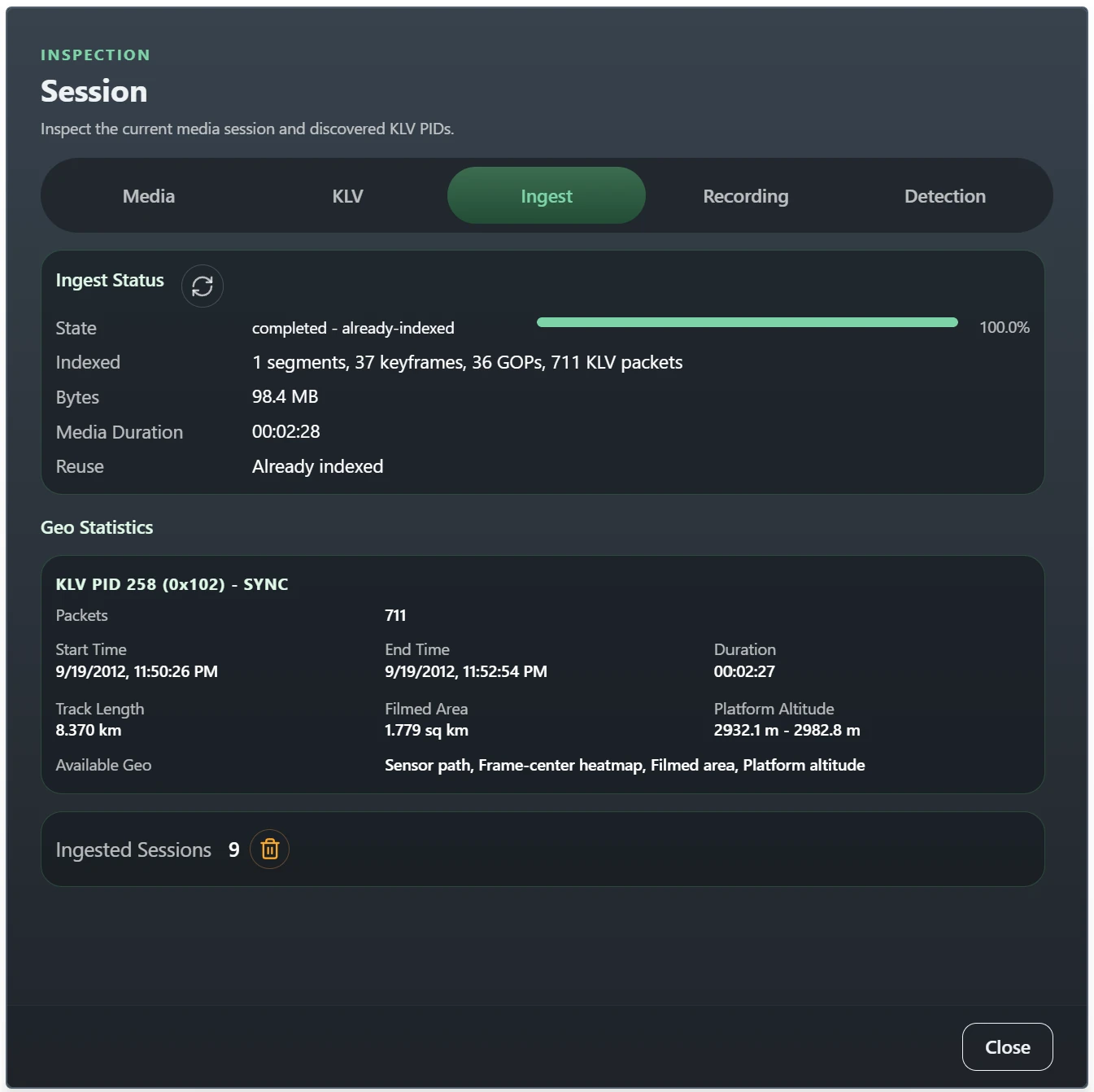
The Ingest tab shows the state of STView's local media ingest workflow for file sources. It reports the ingest state and phase, progress percentage, indexed bytes, media duration, and how many segments, keyframes, GOPs, and KLV packets have been indexed so far.
When ingest completes, this tab also shows per-PID geo statistics derived from the stored metadata. These cards can include packet totals, start and end time, duration, sensor track length, filmed area, platform altitude range, and which geo products are available. The lower panel shows how many ingested sessions are stored in the local database and provides the control for clearing that stored session metadata.
Stored database and per-source summaries refresh in the background so opening Session or updating the status bar does not interrupt video playback. They may appear shortly after the live ingest state and progress fields.
Recording Info
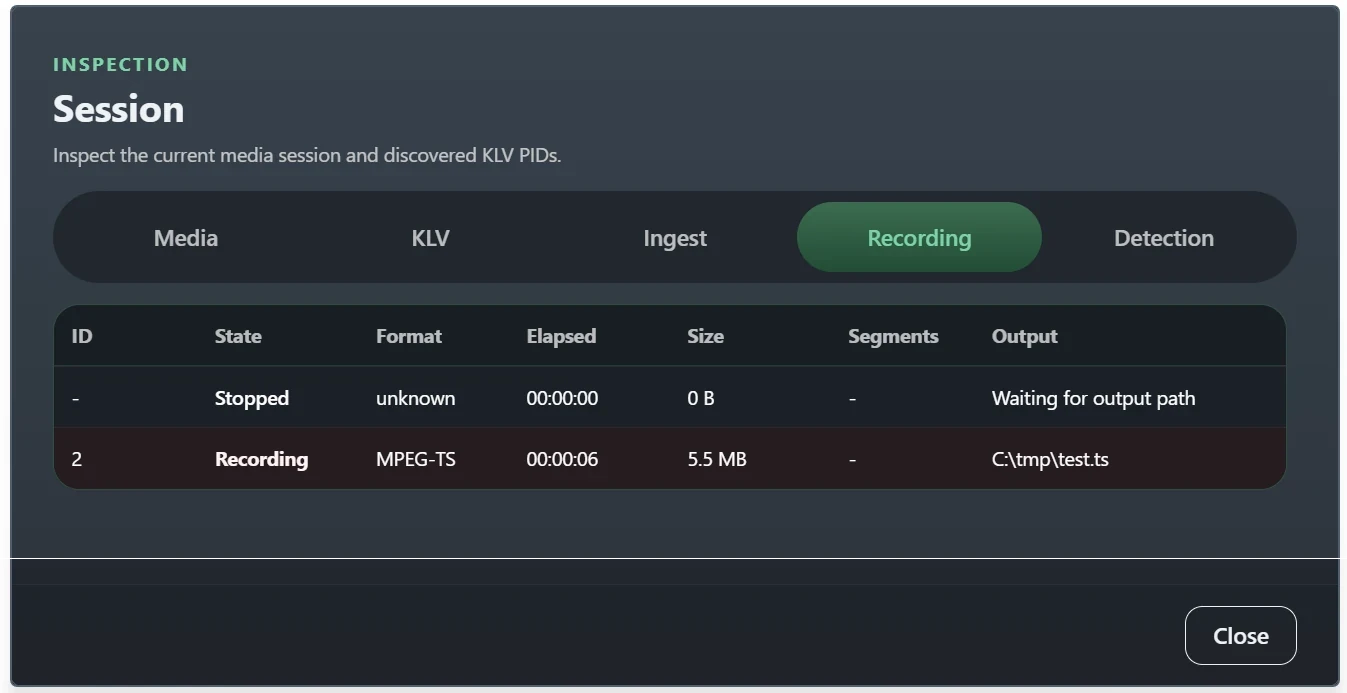
The Recording tab lists the recordings that were started from the current session. For each recording, STView shows the recording ID, state, format, elapsed time, total size, segment count, output path, and any reported error.
Use this tab to confirm that recording has actually started, that the output is growing over time, and that segmented outputs such as HLS are producing the expected number of segments. If recording stops unexpectedly, this tab is also the first place to check for an output path or runtime error.
Recasting Info
The Recasting tab shows whether an output session is running, the selected
source (Original or Flywheel), output protocol, target URI, and current
media. STView currently supports one app-level Recast session, so Active
Sessions is either 0 or 1.
For LL-HLS, this tab also shows the segment format and provides Copy playback URL. CMAF output additionally provides Copy metadata URL for its KLV sidecar. A configured Playback URL stays the same across output sessions; automatically chosen URLs change for each new session. LL-HLS byte and bitrate values count published media, independently of how many receivers are connected.
Use Copy playback URL only after starting the desired output, and copy it again after a restart when using an automatic URL. Reopen a configured stable URL to join the new output. A connecting state can mean the publisher is waiting for its first usable video frame; an active state and increasing bitrate show publication activity, not the number of connected receivers. For setup, format selection and receiver troubleshooting, see LL-HLS targets.
The Last Error row reports output-side problems independently from playback. For example, an SRT target can be temporarily offline while playback continues and Recast keeps retrying. The error clears when the receiver reconnects or after Recast stops successfully. Use this tab together with Recasting when diagnosing target configuration or connection problems.
Detection Info
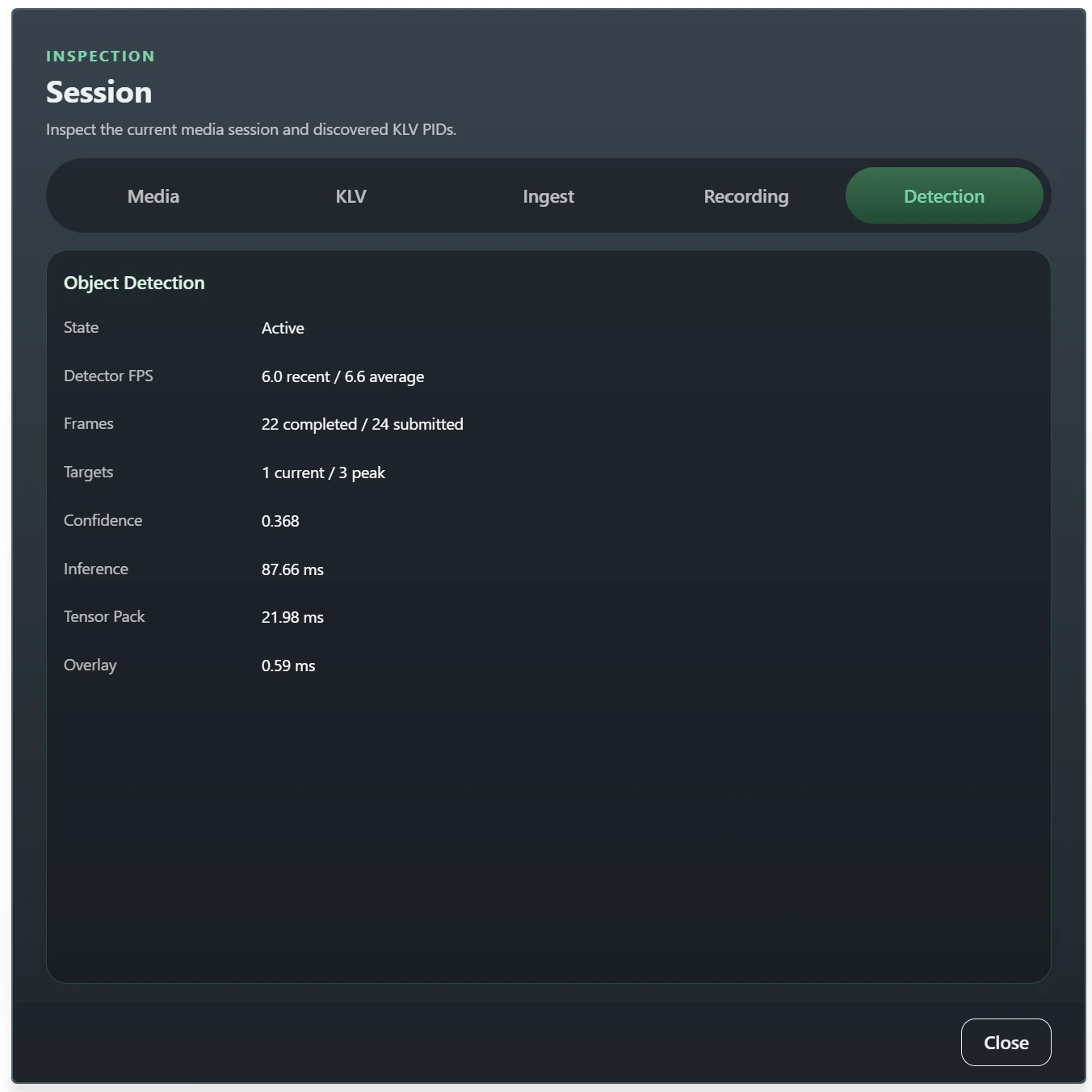
The Detection tab exposes runtime object-detection status. It shows whether detection is disabled, pending, or active, and surfaces any detector startup or runtime error reported by the ONNX-based pipeline.
When detection is active, STView reports recent and average detector FPS, submitted and completed frame counts, current and peak target counts, average confidence, and the average time spent in inference, tensor packing, and overlay rasterization. Use these values to verify that detections are being produced and to judge whether the detector is keeping up with the current media rate.
Output telemetry
The Recording and Recasting tabs also show the same measured output snapshots as the status bar: per-output state, bitrate, source/destination, current error, and timestamped last error retained after recovery. Recorder snapshots include recorded size. Measurements that are unavailable are labeled explicitly.