File Playback Injection
This workflow injects timestamped text-based telemetry from CSV or JSON files into a transport-stream file during playback.
Real-Time Or Faster-Than-Real-Time Processing
When working with file sources, you can enable video preview for real-time processing or disable preview for faster-than-real-time processing.

Figure: Real-time versus faster-than-real-time processing.
Configure The Video File Source
Select the transport-stream source file.
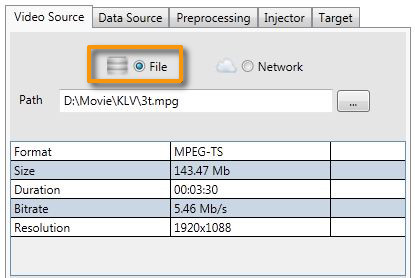
Figure: File video source parameters.
KlvInjector performs detection on the selected video file.
Only MPEG transport stream is supported directly. If your file is in a different format, KlvInjector prompts you to transcode or remultiplex it first. See Transcoding.
Configure The Data File Source
Select the data file containing CSV or JSON metadata.
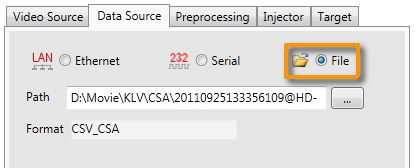
Figure: File metadata source parameters.
KlvInjector detects the file format automatically to verify that the dataset is supported. See Data Formats.
Configure Preprocessing
You can add a template file to add, merge, or remove specific metadata entries.
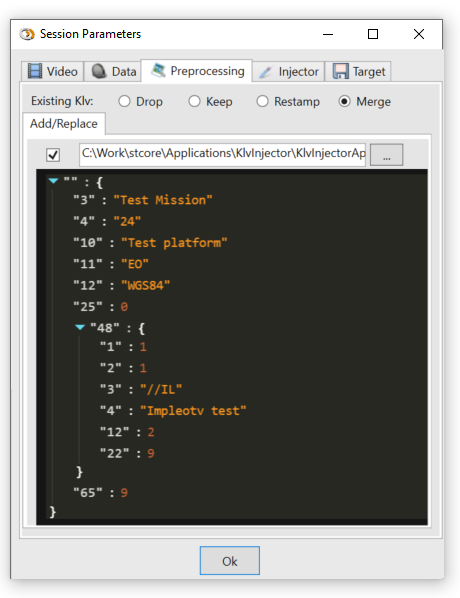
Figure: Metadata preprocessing parameters.
For details, see Metadata Preprocessing.
Configure KLV Insertion
Set insertion and timing options for the playback workflow.
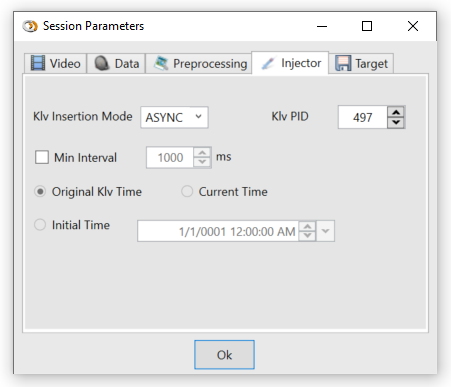
Figure: KLV insertion parameters.
For timing details, see Timing.
Configure The Target
Select the file target. Segmented output by size or time is also supported.
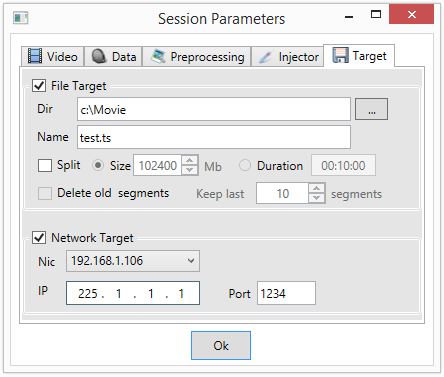
Figure: Output target parameters.
Start Processing
Close the session configuration window and start the session.
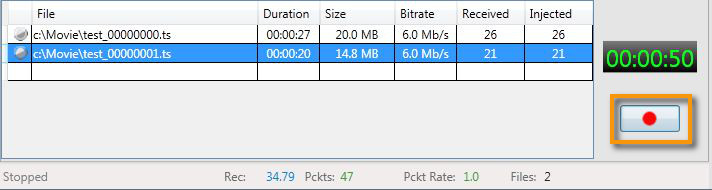
Figure: Session controls.
You can inspect the resulting metadata while the file is being processed. See Live Preview.