Video Transcoding
KlvInjector can work with many source video formats, but direct injection requires an MPEG transport stream. If the source file is not already TS, remultiplex or transcode it first.
The built-in Transcoder tool uses an external FFmpeg executable that must be configured in Options -> Tools.
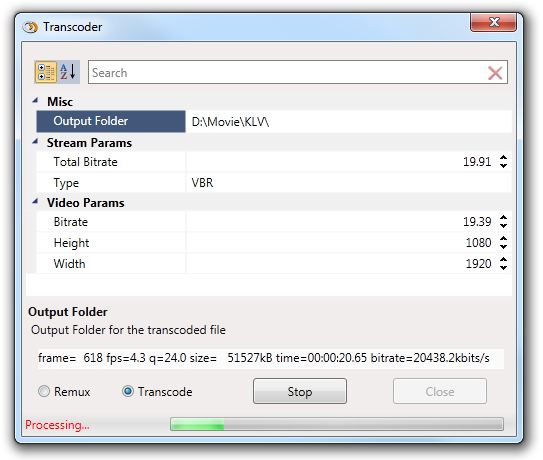
Figure: Built-in transcoder tool.
Operating Modes
- Remultiplexing: repack the existing video into a TS container without transcoding.
- Transcoding: re-encode the video and optionally change resolution, bitrate, and other major parameters.
When Remux is selected, video processing parameters are ignored and the original encoded video is repackaged into a TS container. When Transcoding is selected, KlvInjector can generate a lower-resolution or lower-bitrate copy for easier processing.
The legacy help text references Zeranoe for Windows binaries, but that source is no longer current. Use a maintained FFmpeg distribution and point the configured transcoder path to ffmpeg.exe.