Timing
KlvInjector provides three timing modes for live processing:
- Original Timestamp
- Current Time
- Initial Time
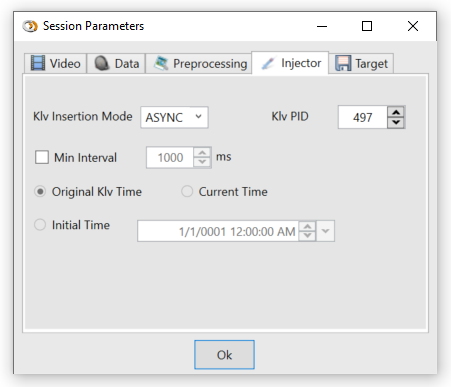
Figure: Timing parameters in the injector configuration.
Original Timestamp
Uses the timestamp already present in the incoming packet.
note
If the minimum-interval condition is reached and no original packet is available, the current PC time is used for the generated packet timestamp.
Current Time
Uses the workstation clock to generate timestamps.
Initial Time
Lets you define an explicit initial timestamp for the stream.
note
These timing settings are meaningful only for live network-source workflows. They are disabled during offline file injection.