Capture Device Workflow
You can use a standard capture device as the live video source while injecting metadata from any supported live metadata input.
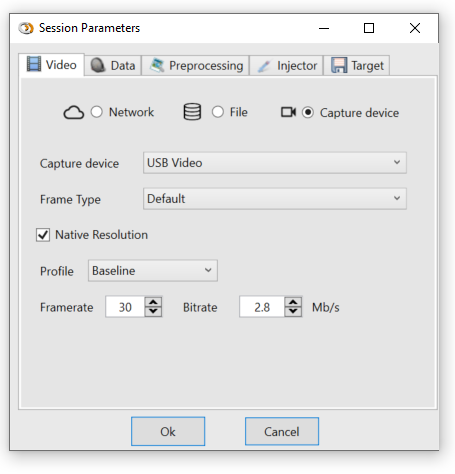
Figure: Capture device source selection.
Configure The Capture Device
After selecting a capture device, configure the frame-grabber and H.264 encoder parameters.
Frame Type
Choose the capture frame type:
- RGB
- YUV
- Default, which selects the best available option
MJPEG is not supported.
note
The selected frame type can affect the frame rate your capture device can sustain.
Frame Resolution

Figure: Capture resolution settings.
Choose the desired capture resolution. Selecting Native uses the maximum resolution reported by the device.
Video Encoding Parameters
Select the H.264 encoder settings:
- Profile
- Frame rate
- Bitrate