Dashboard, Search, and History
📊 Dashboard
Tenant administrators open Dashboard for counts of active licenses, products, orders, companies, and users. Select a count to open its list. License activity shows issuance by month over the last 12 months. Licenses by product shows all recorded issuance since the last activity reset, with option counts in its tooltips. Both charts use issuance history, so imports are not new issuance events and deleting a license does not erase its historical issuance.
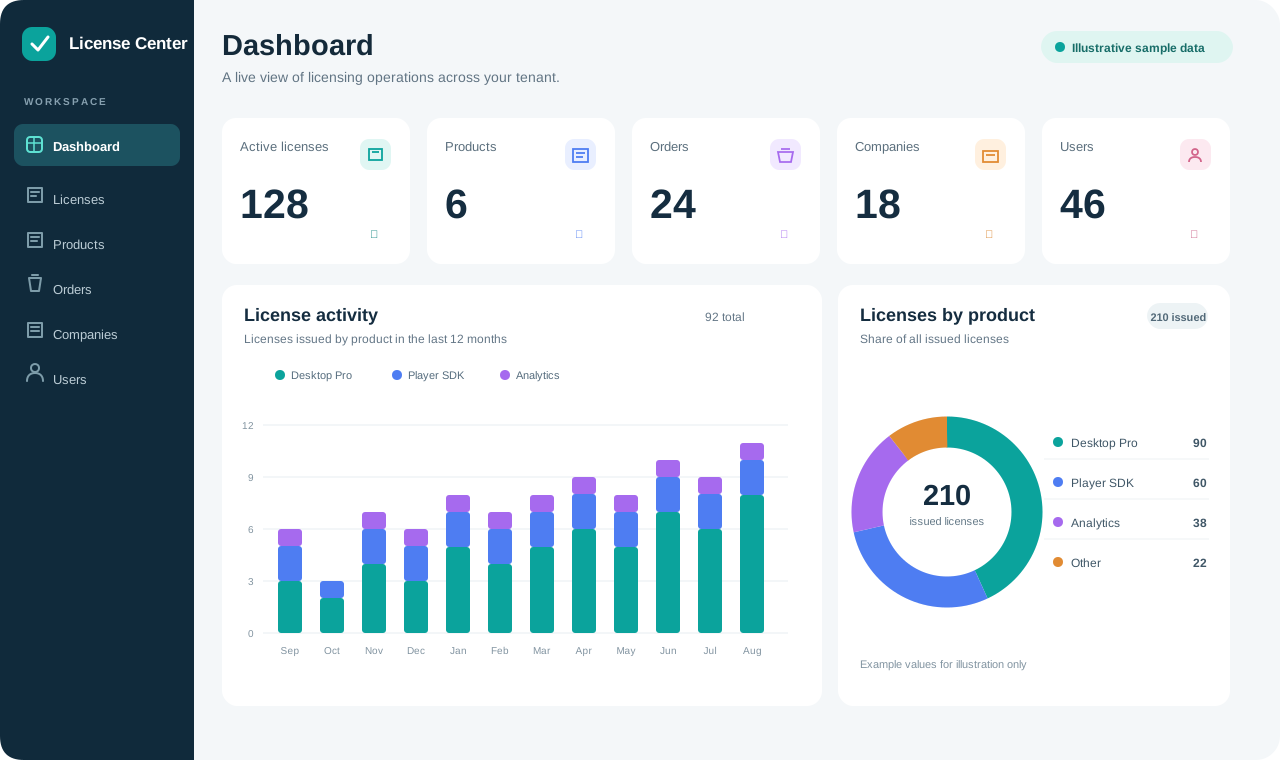
Illustrative example with fictional data. Your dashboard shows your tenant's records.
The Active licenses card counts records marked Active, including imported licenses; it does not exclude past expiration dates. Check a license's Expires value before treating that count as a count of currently usable licenses.
Settings · Admin · Reset license activity starts both activity charts fresh for the current tenant after confirmation. This cannot be undone and does not delete licenses or logs, reset order balances, or clear the dashboard's record counts.
🔎 Search
Use Search licenses, users, orders… in the top bar. Results are grouped by record type and respect your normal access permissions. Searches ignore case; when you enter several words, each must occur in the record's searchable fields. You can search by names, email addresses, license titles, node information, order references, and WooCommerce line names or SKUs.
Select a result to open that record in its normal list with the usual available actions. Choose Show all in the selected-result banner to restore the list. Search does not include products, companies, email history, or logs as separate result groups.
✉️ Emails
Administrators open Emails to review successful outgoing email records for their tenant. The list shows To, Type, Subject, and Sent, with times in the viewer's local timezone. Use Refresh to fetch recent deliveries and pagination to read older records.
This is delivery history, not a mailbox or retry queue. Failed attempts and disabled-delivery previews are not successful sends. Investigate failures in Logs and retry from the corresponding license or order workflow.
📜 Logs
Logs shows operation history with date, user, operation, subject, and details. Tenant administrators see their tenant's history. Platform administrators see history across tenants and an additional Tenant column. This is a specific platform-administration exception to ordinary tenant record isolation.
Choose View details to inspect an event's identifiers and recorded metadata. Use Refresh and pagination to review recent or older activity. Times are shown in your local timezone. Logs remain available after resetting dashboard license activity.
🔔 Notifications
The top-bar bell opens the notification inbox. Administrators receive access requests, order activity, license issuance, successful license email delivery, and alerts about maintenance reminders due. A maintenance alert opens Orders with its due-reminder filter; customer reminder email still requires Send Reminder in the order editor.
Enable device notifications from the bell when supported. On iPhone or iPad, first install License Center on the Home Screen and open that installed app. See Settings and Integrations.
Opening the inbox marks its current notifications read. Clear individual notifications or choose Clear all to remove them from your inbox; this does not delete the associated orders, licenses, or audit events.