Agent skills
libmisb agent skills give coding agents task-specific instructions, API references, and runnable examples. Install a skill in the project where your agent works and install the SDK separately for your application's runtime. Install the SDK.
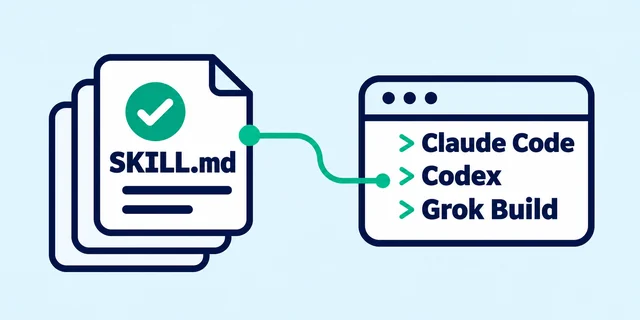
Bundled skills
The libmisb SDK includes a set of bundled skills. Start with the skill that matches your integration. For example, a Python service using the native SDK starts with libmisb-native, and a TypeScript app decoding KLV in the browser starts with libmisb-wasm.
| Skill | Use it to |
|---|---|
libmisb-setup | Choose a package and set up libmisb in a project. |
libmisb-native | Load the native SDK and call its language bindings or C ABI, including polling and resource cleanup. |
libmisb-wasm | Decode packets or streams in a browser or Node.js and handle diagnostics, exact JSON, and cleanup. |
libmisb-decode | Decode raw KLV or semantic MISB metadata in a direct Go or Rust integration. |
libmisb-encode | Encode KLV or supported MISB metadata in a direct Go or Rust integration. |
libmisb-validate | Validate supported MISB metadata and inspect rule findings in a direct Go or Rust integration. |
libmisb-stream | Frame packets from fragmented input and manage a direct Go or Rust stream. |
libmisb-json | Present or transform metadata that has already been decoded into JSON. |
Install in your project
With Node.js 22.20 or later and access to the libmisb repository, open a terminal at the root of your application project. Use the first command to see the available skills. The second installs one skill. Select your coding agent when prompted.
npx skills add impleotv/libmisb --list
npx skills add impleotv/libmisb --skill libmisb-native
Replace libmisb-native with the name you need. For reproducible installs, use impleotv/libmisb@TAG as the source and replace TAG with a released tag that contains the skill. Skills CLI installation reference.
Install for a specific agent
From your project root, run the command for your coding agent. Each example installs libmisb-native in the current project.
- Claude Code
- Codex
- Grok Build
- Antigravity CLI
- OpenCode
- Cline
- goose
npx skills add impleotv/libmisb --skill libmisb-native --agent claude-code
npx skills add impleotv/libmisb --skill libmisb-native --agent codex
npx skills add impleotv/libmisb --skill libmisb-native --agent grok
npx skills add impleotv/libmisb --skill libmisb-native --agent antigravity-cli
npx skills add impleotv/libmisb --skill libmisb-native --agent opencode
npx skills add impleotv/libmisb --skill libmisb-native --agent cline
npx skills add impleotv/libmisb --skill libmisb-native --agent goose
Agent IDs and skill directories.
Install from a local copy
If you already have the skill files, copy the entire selected folder, such as skills/libmisb-native, into the project-level skills directory documented by your agent. Keep SKILL.md, the references, and the examples together. Each libmisb skill works independently.
Use the skill with your agent
Open a session in your application project. At the agent's prompt, invoke the installed libmisb-native skill using the syntax for your agent.
- Claude Code
- Codex
- Grok Build
- Antigravity CLI
- OpenCode
- Cline
- goose
Enter /libmisb-native at the Claude Code prompt. Claude Code skills.
Type $ and select libmisb-native. Include the $libmisb-native mention with your request. Codex skill invocation.
Enter /libmisb-native at the Grok Build prompt. Grok Build skills.
Enter /libmisb-native at the Antigravity CLI prompt. If you installed the skill during an active session, run /skills reload first. Google Antigravity skills.
Ask for the skill by name. For example, enter Use the libmisb-native skill to decode example.klv and report partial results. OpenCode skills.
Type / in Cline's chat input and select /libmisb-native. Cline skill invocation.
Enter /skills libmisb-native in the goose CLI to load the skill. goose skills.
In your request, include your SDK version, language, runtime, input format, and expected result. Ask the agent to use the installed SDK declarations and run the relevant example or a test with your input.
Native SDK example
Use
libmisb-nativeto add ST 0601 packet decoding to this Python service using the SDK already installed in the project. Preserve partial results and their diagnostics. Run a smoke test withexample.klv.
Web SDK example
Use
libmisb-wasmto decode fragmented ST 0601 input in this TypeScript browser app. Preserve exact timestamp digits, handle stream errors, and release decoder resources when the page closes. Test it in the browser.
Check which operations your installed SDK supports before extending either example. Supported operations · SDK API reference.